
Girls · AI photo prompt
LinkedIn Hiring Photo Prompt – Creative Marketing Portrait for Girls in Gemini & ChatGPT
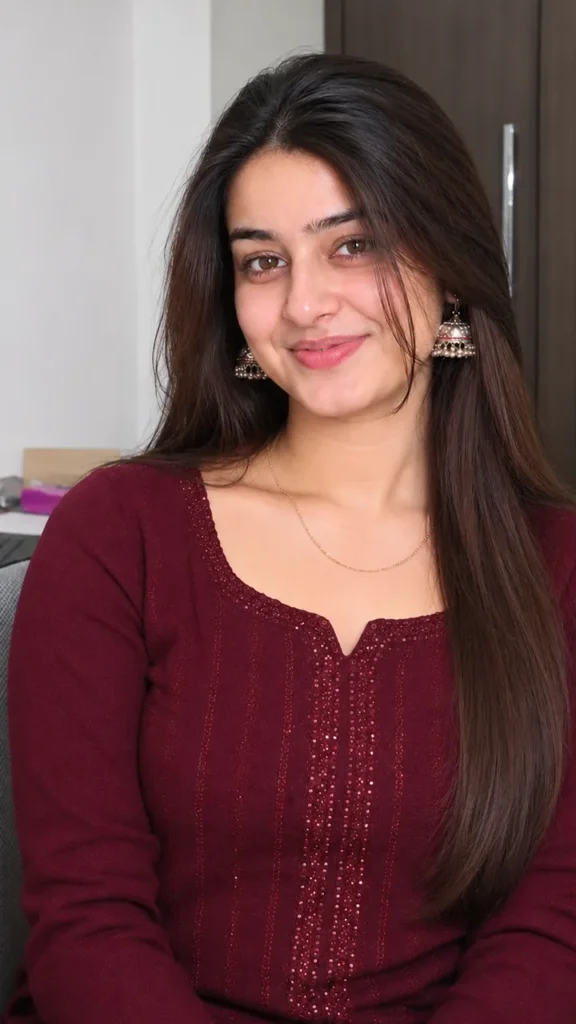
This Linkedin hiring photo prompt turns your selfie into an energetic creative-professional post – coral blazer over a white graphic tee, a “lightbulb moment” gesture, phone in hand, with social media icons, megaphones and growth charts floating around you. Copy the prompt, upload your photo in Gemini or ChatGPT and get a scroll-stopping LinkedIn image in seconds.
The prompt
3 more LinkedIn post ideas
Same clean creative-professional style – a new message each time.
Open To Work Prompt
New Job Announcement Prompt
Speaker Stage Prompt
LinkedIn headshot DP prompt
A square close-up made for your WhatsApp or Instagram profile picture.
LinkedIn captions for your post
Your photo is ready – now pick a caption. Tap Copy and paste it on Instagram.
- We're hiring – come build with us 🚀
- Ideas come, we make them work 💡
- Growth is a team sport 📈
- New role, new energy 💼
- Lightbulb moment, every day 💡
- We're looking for you 👀
- Creativity + strategy = magic ✨
- Marketing is my passion 📣
- Let's grow together 🌱
- DM for details 📩
- #WeAreHiring #LinkedInPost #DigitalMarketing #CareerGrowth #AIPhoto #GeminiAI #ChatGPT #WomenAtWork #PhotoPrompt
Turn your photo into a LinkedIn video
Made your photo? Bring it to life as a short reel. Upload the photo you just made in Gemini, tap Video, paste this prompt and send.
How to use this linkedin hiring photo prompt in Gemini
- Open the Gemini app or gemini.google.com.
- Tap Copy prompt above.
- Tap + and upload one clear, front-facing photo of yourself.
- Paste the prompt and tap send – the picture comes back in a few seconds.
- If something looks off, ask Gemini to fix just that part, for example "keep my face the same, make the light warmer".
How to use it in ChatGPT
- Open ChatGPT and start a new chat.
- Attach your photo with the + button.
- Paste the prompt, send it and wait for the image.
- Tap the download icon to save it.
Tips for the best LinkedIn image
- Pick a selfie in daylight with your face straight to the camera; side angles change the face more.
- For an Instagram post write vertical 3:4; for a story or reel cover write vertical 9:16.
- Add your role in the prompt, like “text: HIRING – CONTENT WRITER”.
- For a square LinkedIn post, write “1:1” instead of the vertical size.
FAQ
Is this linkedin hiring photo prompt free?
Yes. Copy it for free and use it in the free version of Gemini or ChatGPT. Free accounts may have a daily image limit.
Should I use Gemini or ChatGPT?
Both work. Gemini is quicker and usually keeps your face closer to the photo; ChatGPT takes longer but the light and detail can look richer. Run it in both and pick your favourite.
Why does the face not look like me?
Usually the photo is too small, dark or taken from the side. Use a sharp, front-facing selfie and write "do not change my face" at the start of the prompt, then try again.
Can I make a video from this photo?
Yes. First make your photo with the prompt, then upload that photo in Gemini, choose Video and paste the video prompt from this page. Free plans have a small daily video limit.