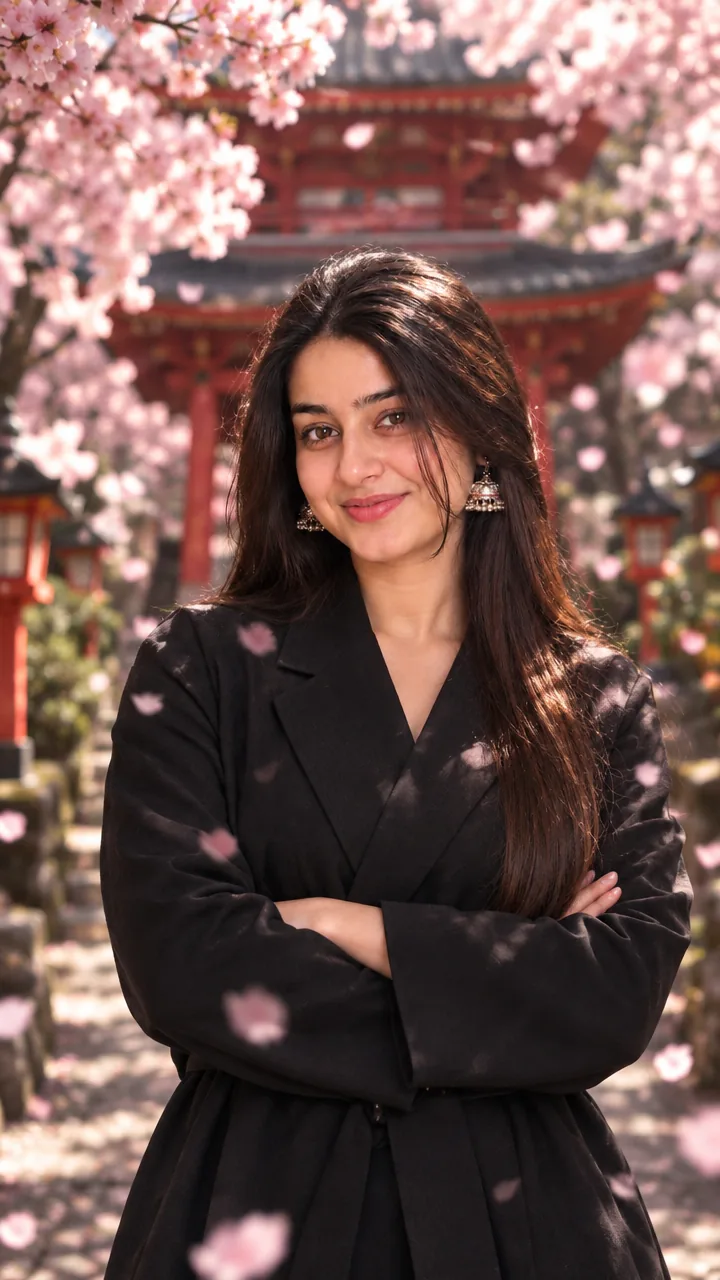


Girls · AI photo prompt
Sakura Temple Photo Prompt for Girls – Cherry Blossom Power Pose in Gemini & ChatGPT
This Sakura temple photo prompt for girls places you at the entrance of a pagoda path lined with blooming sakura trees – black tailored kimono, arms crossed, the whole frame yours. Copy the prompt, upload your photo in Gemini or ChatGPT and get a bold cherry-blossom portrait in seconds.
The prompt
3 more cherry blossom moments
Same sakura path and black kimono – a different moment each time.
Walking Under Sakura Prompt
Sakura Petals In Hand Prompt
Temple Steps Portrait Prompt
Sakura temple DP, post and story versions
Need it for a profile picture, an Instagram post or a story? Use the version made for that size.
Cherry blossom DP prompt
Sakura Temple Instagram Post Prompt
Sakura Temple Instagram Story Prompt
Sakura captions for your post
Your photo is ready – now pick a caption. Tap Copy and paste it on Instagram.
- Blooming, but make it powerful 🌸
- Sakura season is my season 🌸
- Petals soft, attitude strong 🖤
- Pink skies and black kimono vibes 🏯
- Boss lady, even among the flowers 💅
- Stand tall like the temple gates ⛩️
- Cherry blossoms and quiet confidence ✨
- Dreams of Japan, my own face 😌
- In full bloom 🌸
- Every petal says it's me 💕
- #Sakura #CherryBlossom #KimonoLook #JapanVibes #AIPhoto #GeminiAI #ChatGPT #AestheticGirl #PhotoPrompt
Turn your photo into a sakura reel
Made your photo? Bring it to life as a short reel. Upload the photo you just made in Gemini, tap Video, paste this prompt and send.
How to use this sakura temple photo prompt for girls in Gemini
- Go to gemini.google.com or open the Gemini app on your phone.
- Tap Copy prompt above.
- Tap + and upload one clear, front-facing photo of yourself.
- Paste the prompt and tap send – the picture comes back in a few seconds.
- If something looks off, ask Gemini to fix just that part, for example "keep my face the same, make the light warmer".
How to use it in ChatGPT
- Open ChatGPT (the free plan works) and start a new chat.
- Tap + and add your photo.
- Paste the prompt and send – image generation takes up to a minute.
- Long-press or tap download to save the picture.
Tips for the best sakura portrait
- Pick a selfie in daylight with your face straight to the camera; side angles change the face more.
- Change the size at the end of the prompt: 1:1 for a DP, 3:4 for a post, 9:16 for a story.
- Prefer a softer look? Change “black kimono” to white or pale pink – it blends dreamily with the blossoms.
- If petals cover your face, add “no petals on the face” to the prompt.
FAQ
Is this sakura temple photo prompt for girls free?
Yes. Copy it for free and use it in the free version of Gemini or ChatGPT. Free accounts may have a daily image limit.
Which is better for this prompt – Gemini or ChatGPT?
Gemini keeps the face closer to your photo and is faster. ChatGPT often gives softer, more cinematic light. Try both and keep the one you like.
Why does the face not look like me?
Usually the photo is too small, dark or taken from the side. Use a sharp, front-facing selfie and write "do not change my face" at the start of the prompt, then try again.
Can I make a video from this photo?
Yes. First make your photo with the prompt, then upload that photo in Gemini, choose Video and paste the video prompt from this page. Free plans have a small daily video limit.