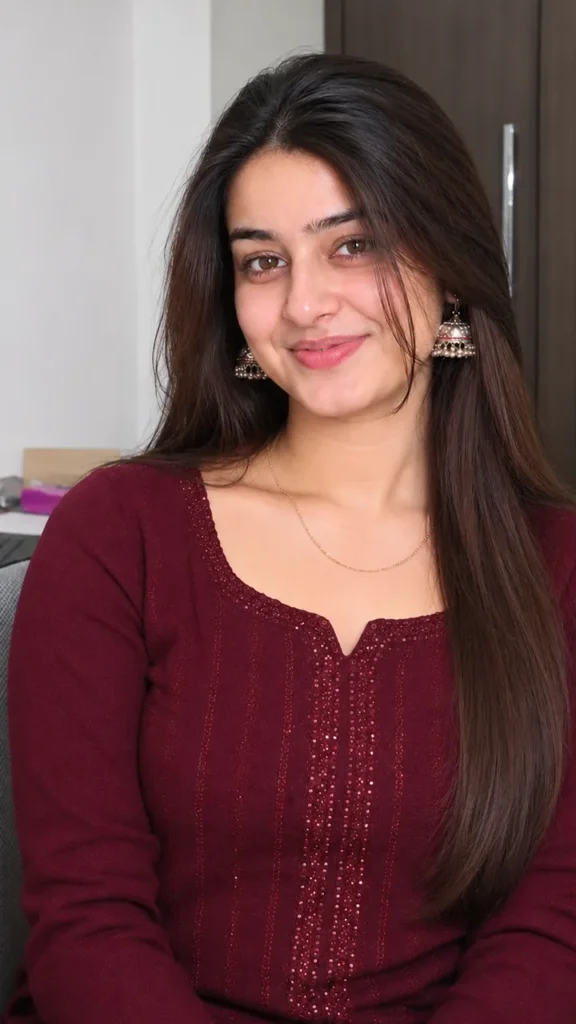
Janmashtami Photo Prompt for Girls – Peacock Green Lehenga in a Radha Krishna Look
This Janmashtami photo prompt for girls gives you a graceful Radha Krishna festive look: a peacock green lehenga with antique gold embroidery and real fabric folds, a traditional blouse and a light dupatta over one shoulder. The prompt keeps your face exactly as it is – no beautifying, no reshaping – so the photo still looks like you. Upload your photo in Gemini or ChatGPT and paste the prompt.
The prompt
Use the uploaded reference image as the strict facial identity source. Preserve the exact facial structure, facial proportions, eye shape, nose shape, lips, jawline, skin tone, natural asymmetry, hairstyle identity, and overall recognizability. Do not modify the face. No beautification, no face reshaping, no artificial smoothing, no identity drift. Create an ultra realistic Krishna Janmashtami AI photo prompt for girls featuring the same young Indian woman wearing an elegant peacock green lehenga inspired by a refined Radha Krishna festive aesthetic. The lehenga is made from detailed woven fabric with visible thread work, antique gold embroidery, delicate traditional motifs, realistic folds, and natural fabric weight. The blouse has a graceful traditional silhouette with intricate border embroidery. A lightweight dupatta falls naturally over one shoulder with realistic transparency and fabric texture.
She holds a traditional wooden flute gently near her waist while facing the camera. Both eyes look directly into the lens. Her expression is serene, graceful, devotional, and naturally confident. Her long dark hair is softly styled with natural volume and a few loose strands around the face. Add delicate jhumkas, a thin traditional necklace, subtle bangles, a small mang tikka, and one elegant peacock feather detail placed naturally in the hair.
Natural Indian skin texture must remain visible with pores, fine facial hairs, subtle tonal variation, realistic cheek texture, natural lip texture, and tiny skin imperfections. Do not apply a beauty filter. The background is a Pinterest inspired bedroom wall built from warm beige limewash plaster with visible hand finished texture, subtle uneven mineral variation, carved dark wood details, a small traditional Krishna artwork, antique brass accents, and a woven wall textile inspired by Vrindavan interiors. Every background material must remain physically believable and sharply resolved.
Lighting is soft natural window light entering from the side, producing gentle facial illumination, realistic contact shadows, subtle fabric highlights, and soft wall shadows. Maintain realistic depth, atmospheric perspective, subject background separation, and natural interaction between the subject and the wall. Shot as a premium authentic smartphone photograph using a 50mm equivalent lens, natural perspective, realistic optical rendering, balanced exposure, soft highlight rolloff, detailed shadow information, subtle digital grain, natural color science, RAW image character, no artificial HDR effect. The entire background remains clearly visible with realistic texture and moderate depth. Keep the face as the sharpest element while preserving environmental detail.
This is a Janmashtami traditional lehenga portrait with a Krishna Leela look prompt aesthetic and genuine Vrindavan girl AI photo character. Ultra realistic Indian festive photography. No text, no extra people, no artificial blur, no distorted hands, no plastic skin, no cartoon appearance, no unrealistic jewelry. Vertical 3:4 composition. Face looking directly at the camera.
3 more Janmashtami looks
Same festive grace – a new outfit each time.
Yellow Lehenga Radha Prompt
Use my uploaded photo and keep my face exactly the same. I wear a bright yellow lehenga with a red dupatta and gold jewellery, holding a small matki, standing in a temple courtyard with peacock feathers and marigolds. Warm festive light, vertical 9:16.
Jhula Decoration Prompt
Use my uploaded photo and keep my face exactly the same. I gently swing a flower-decorated jhula with baby Krishna, wearing a pink and gold silk saree with a maang tikka. Diya light and flower garlands around, vertical 9:16.
Dahi Handi Festival Prompt
Use my uploaded photo and keep my face exactly the same. I cheer at a dahi handi celebration on the street, wearing a blue cotton suit with a yellow dupatta and a peacock feather in my hair. Bright festival light, vertical 9:16.
Janmashtami DP prompt
A square close-up made for your WhatsApp or Instagram profile picture.
Use my uploaded photo and keep my face exactly the same. A square portrait in a peacock green dupatta with a peacock feather and flute, soft temple light, 1:1.
Janmashtami captions
Your photo is ready – now pick a caption. Tap Copy and paste it on Instagram.
Made your photo? Bring it to life as a short reel. Upload the photo you just made in Gemini, tap Video, paste this prompt and send.
Animate this photo into a short 8-second video. Keep my face and outfit exactly the same. I lift the flute gently, my dupatta flows in a soft breeze and a peacock feather glints in the warm light. Realistic motion, vertical 9:16.
How to use this janmashtami photo prompt for girls in Gemini
Tap + and upload one clear, front-facing photo of yourself.
Paste the prompt and send. Your photo is ready in about 10–20 seconds.
Not happy? Tap regenerate or change one detail in the prompt and try again.
How to use it in ChatGPT
Open ChatGPT (the free plan works) and start a new chat.
Tap + and add your photo.
Paste the prompt and send – image generation takes up to a minute.
Long-press or tap download to save the picture.
Tips for the best Janmashtami photo
Use a sharp photo where your full face is visible – no sunglasses, mask or heavy filter.
Change the size at the end of the prompt: 1:1 for a DP, 3:4 for a post, 9:16 for a story.
A clear, front-facing photo works best – the prompt is strict about keeping your real face.
Change the lehenga colour in the prompt; yellow and blue also suit the Radha Krishna theme.
FAQ
Is this janmashtami photo prompt for girls free?
Yes, the prompt is free. Gemini and ChatGPT both make images on their free plans, with a small daily limit.
Which is better for this prompt – Gemini or ChatGPT?
Gemini keeps the face closer to your photo and is faster. ChatGPT often gives softer, more cinematic light. Try both and keep the one you like.
My face looks different in the result. What should I do?
Upload a clear, front-facing photo in good light without sunglasses or filters, and add "keep my face exactly the same as the uploaded photo" at the start of the prompt. Then generate again.
Can I make a video from this photo?
Yes. First make your photo with the prompt, then upload that photo in Gemini, choose Video and paste the video prompt from this page. Free plans have a small daily video limit.