Girls · AI photo prompt
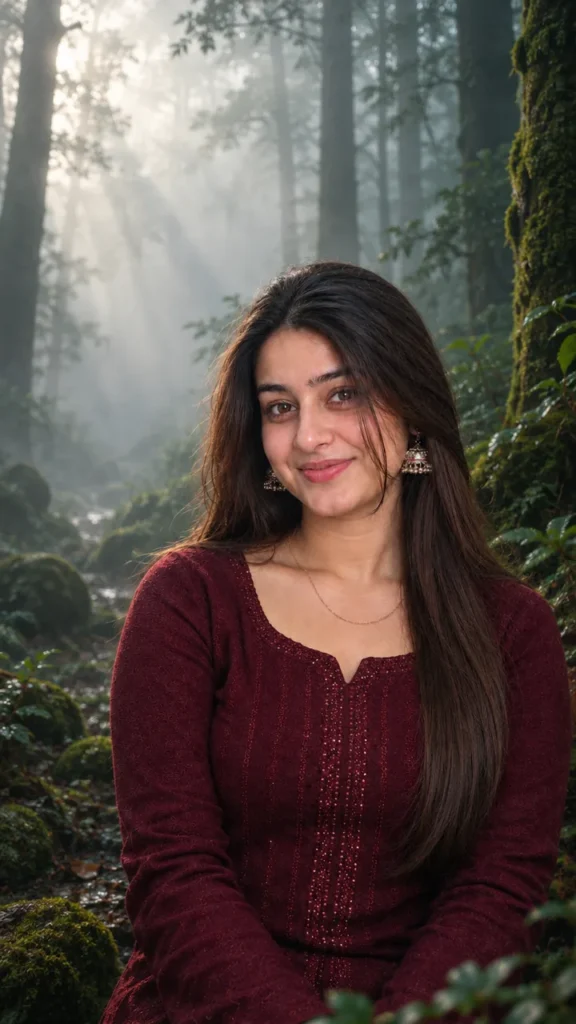
Foggy Forest Photo Edit Prompt – Turn Any Picture into a Misty Woodland in Gemini & ChatGPT
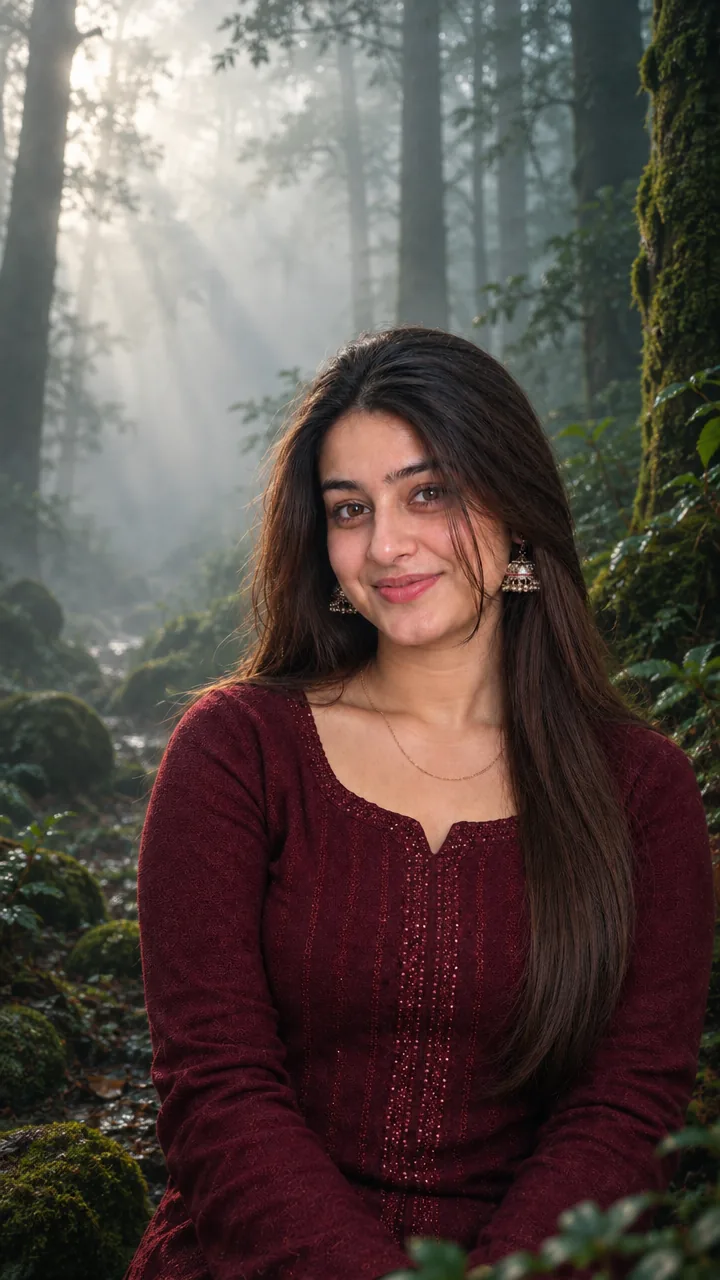
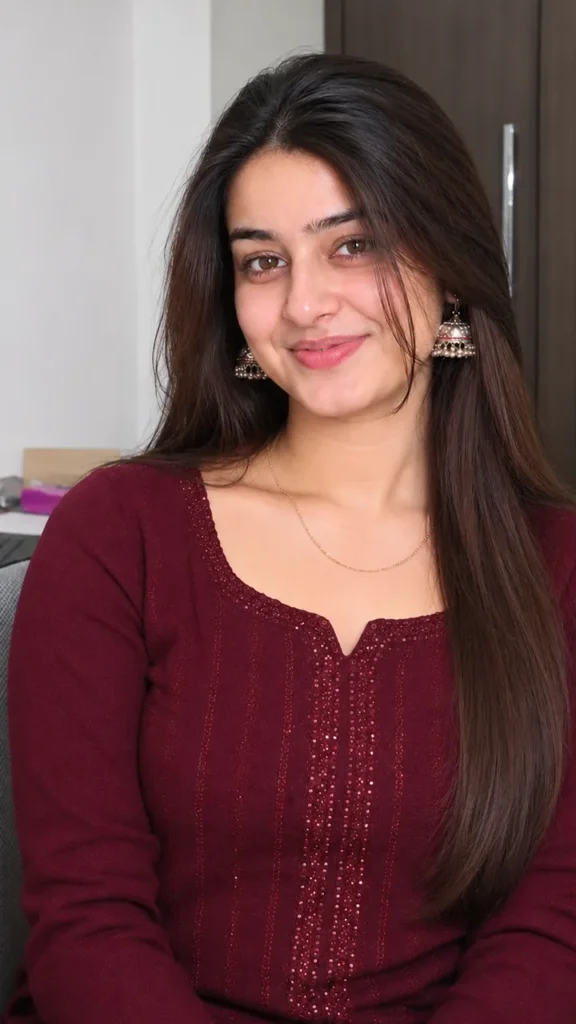
This Foggy forest photo edit prompt turns any ordinary photo into an ultra-real misty woodland – dense white fog, emerald and moss-green tones and soft rays of light breaking through the trees. Copy the prompt, upload your picture in Gemini or ChatGPT and get a cinematic forest edit in seconds.
The prompt
3 more misty forest moments
Same enchanted fog look – these versions put you in the forest from a selfie.
Forest Path In Fog Prompt
Fog Fallen Log Prompt
Fog Light Rays Portrait Prompt
Misty forest DP prompt
A square close-up made for your WhatsApp or Instagram profile picture.
Forest captions for Instagram
Your photo is ready – now pick a caption. Tap Copy and paste it on Instagram.
- Lost in the mist, found in myself 🌲
- Forest fog, peaceful mind 🌫️
- Where the fog meets the soul 🍃
- A green world, a soft mist 💚
- Into the enchanted woods ✨
- Far from the noise, close to the trees 🌳
- Moss, mist and me 🌿
- A story from the forest 📖
- Nature's filter 🌫️
- Green therapy 💚
- #FoggyForest #MistyWoods #NatureVibes #CinematicEdit #AIPhoto #GeminiAI #ChatGPT #ForestAesthetic #PhotoPrompt
Turn your photo into a misty reel
Made your photo? Bring it to life as a short reel. Upload the photo you just made in Gemini, tap Video, paste this prompt and send.
How to use this foggy forest photo edit prompt in Gemini
- Open the Gemini app or gemini.google.com.
- Tap Copy prompt above.
- Tap + and upload one clear, front-facing photo of yourself.
- Paste the prompt and send. Your photo is ready in about 10–20 seconds.
- Not happy? Tap regenerate or change one detail in the prompt and try again.
How to use it in ChatGPT
- Open ChatGPT and start a new chat.
- Attach your photo with the + button.
- Paste the prompt, send it and wait for the image.
- Tap the download icon to save it.
Tips for the best fog edit
- Pick a selfie in daylight with your face straight to the camera; side angles change the face more.
- For an Instagram post write vertical 3:4; for a story or reel cover write vertical 9:16.
- This is an edit prompt – it works on any photo, even a landscape without people.
- If the fog hides your face, add “keep the person clear and sharp, fog only in the background”.
FAQ
Is this foggy forest photo edit prompt free?
Yes, the prompt is free. Gemini and ChatGPT both make images on their free plans, with a small daily limit.
Should I use Gemini or ChatGPT?
Both work. Gemini is quicker and usually keeps your face closer to the photo; ChatGPT takes longer but the light and detail can look richer. Run it in both and pick your favourite.
My face looks different in the result. What should I do?
Upload a clear, front-facing photo in good light without sunglasses or filters, and add "keep my face exactly the same as the uploaded photo" at the start of the prompt. Then generate again.
Can I make a video from this photo?
Yes. First make your photo with the prompt, then upload that photo in Gemini, choose Video and paste the video prompt from this page. Free plans have a small daily video limit.
More prompts like this
- Foggy Forest Photo Edit Prompt for Girls – Enchanted Misty Woodland in Gemini & ChatGPT
- Notebook Doodle Portrait Prompt – Turn Your Photo into a Pen Sketch with Gemini & ChatGPT
- White Outline Sticker Photo Prompt – Turn Your Photo into a Cute Sticker in Gemini & ChatGPT
- All AI photo prompts for girls