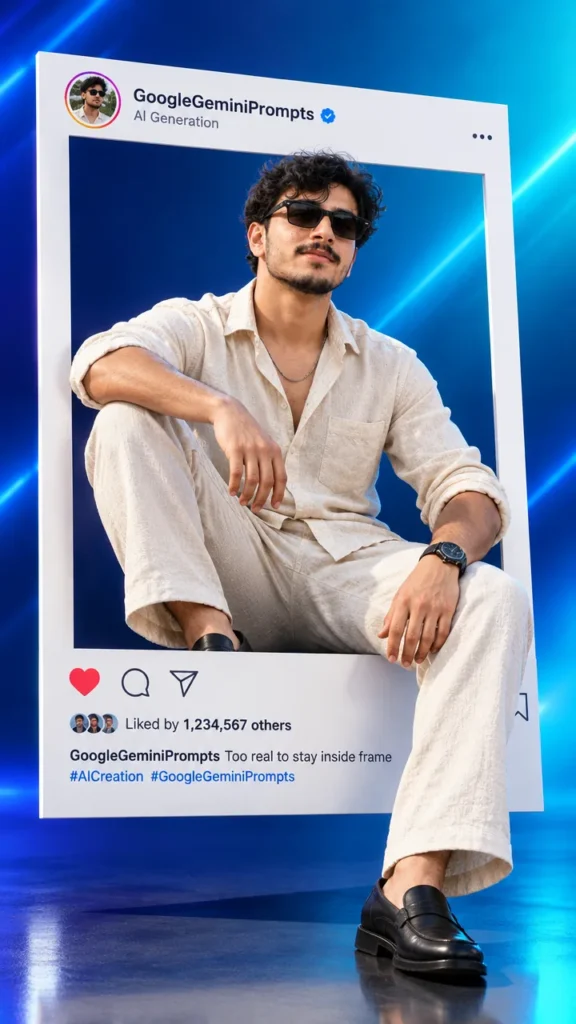

Boys · AI photo prompt
Instagram Frame 3D Photo Prompt for Boys – Step Out of the Post Illusion in Gemini & ChatGPT
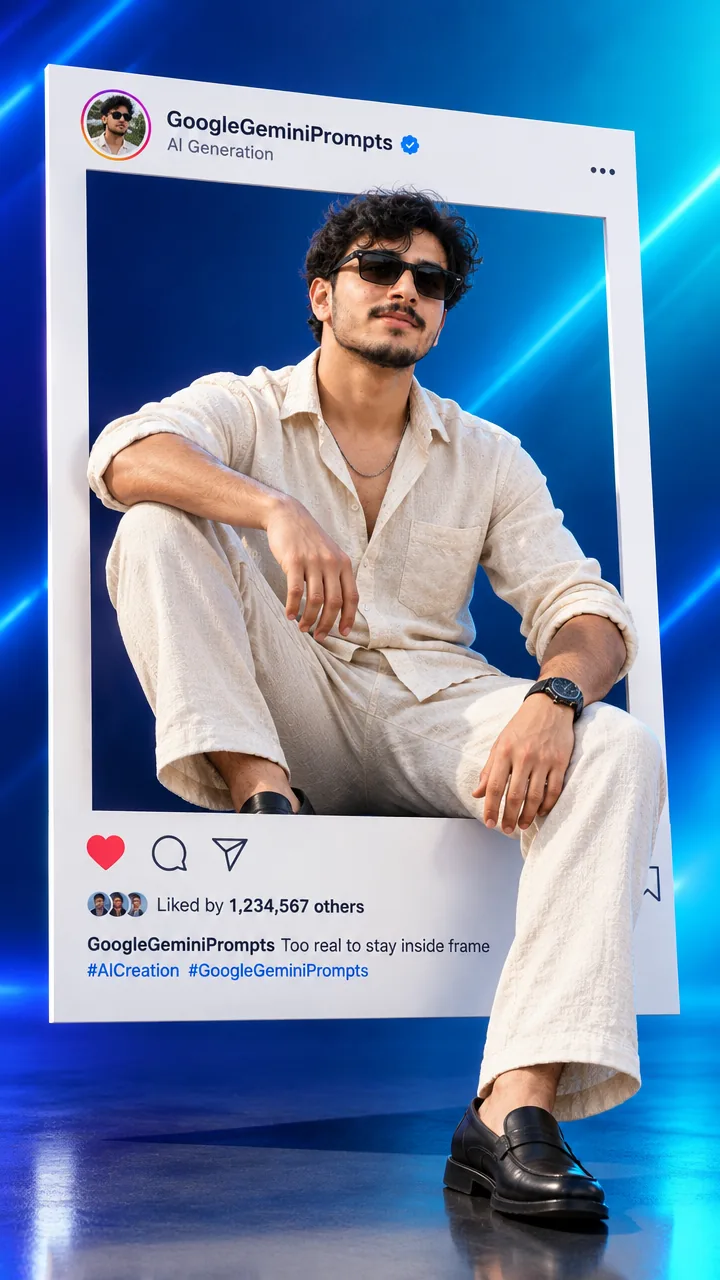
This Instagram frame 3d photo prompt for boys puts you inside a giant, realistic Instagram post – dark sunglasses, sleek shoes, elbow on your knee and one leg stepping right out of the frame in a 3D illusion, against a bold cobalt background. Copy the prompt, change the username to yours, upload your photo in Gemini or ChatGPT and get a scroll-stopping edit in seconds.
The prompt
3 more out-of-frame ideas
Same 3D pop-out idea – a new frame each time.
Phone Screen Pop Out Prompt
Polaroid Frame Pop Out Prompt
YouTube Thumbnail Pop Out Prompt
Instagram frame DP prompt
A square close-up made for your WhatsApp or Instagram profile picture.
Captions for your 3D edit
Your photo is ready – now pick a caption. Tap Copy and paste it on Instagram.
- Too real to stay inside the frame 📸
- Stepped right out of the post 😎
- Breaking the feed 💥
- The frame was too small 🔥
- Swag in 3D 💯
- Follow me, or I'm coming out 😂
- Out of the box, out of the frame 📦
- Instagram can't hold me ✨
- I'm the real one 👀
- Don't scroll, stop right here ✋
- #3DIllusion #InstagramFrame #OutOfFrame #ViralEdit #AIPhoto #GeminiAI #ChatGPT #BoysStyle #PhotoPrompt
Turn your edit into a 3D reel
Made your photo? Bring it to life as a short reel. Upload the photo you just made in Gemini, tap Video, paste this prompt and send.
How to use this instagram frame 3d photo prompt for boys in Gemini
- Open the Gemini app or gemini.google.com.
- Tap Copy prompt above.
- Tap + and upload one clear, front-facing photo of yourself.
- Paste the prompt and tap send – the picture comes back in a few seconds.
- If something looks off, ask Gemini to fix just that part, for example "keep my face the same, make the light warmer".
How to use it in ChatGPT
- Open ChatGPT (the free plan works) and start a new chat.
- Tap + and add your photo.
- Paste the prompt and send – image generation takes up to a minute.
- Long-press or tap download to save the picture.
Tips for the best 3D frame edit
- Pick a selfie in daylight with your face straight to the camera; side angles change the face more.
- For an Instagram post write vertical 3:4; for a story or reel cover write vertical 9:16.
- Change the sample username and caption in the prompt to your own handle.
- Keep the caption short – long text often comes out misspelled.
FAQ
Is this instagram frame 3d photo prompt for boys free?
Yes. Copy it for free and use it in the free version of Gemini or ChatGPT. Free accounts may have a daily image limit.
Should I use Gemini or ChatGPT?
Both work. Gemini is quicker and usually keeps your face closer to the photo; ChatGPT takes longer but the light and detail can look richer. Run it in both and pick your favourite.
Why does the face not look like me?
Usually the photo is too small, dark or taken from the side. Use a sharp, front-facing selfie and write "do not change my face" at the start of the prompt, then try again.
Can I make a video from this photo?
Yes. First make your photo with the prompt, then upload that photo in Gemini, choose Video and paste the video prompt from this page. Free plans have a small daily video limit.