

Boys · AI photo prompt
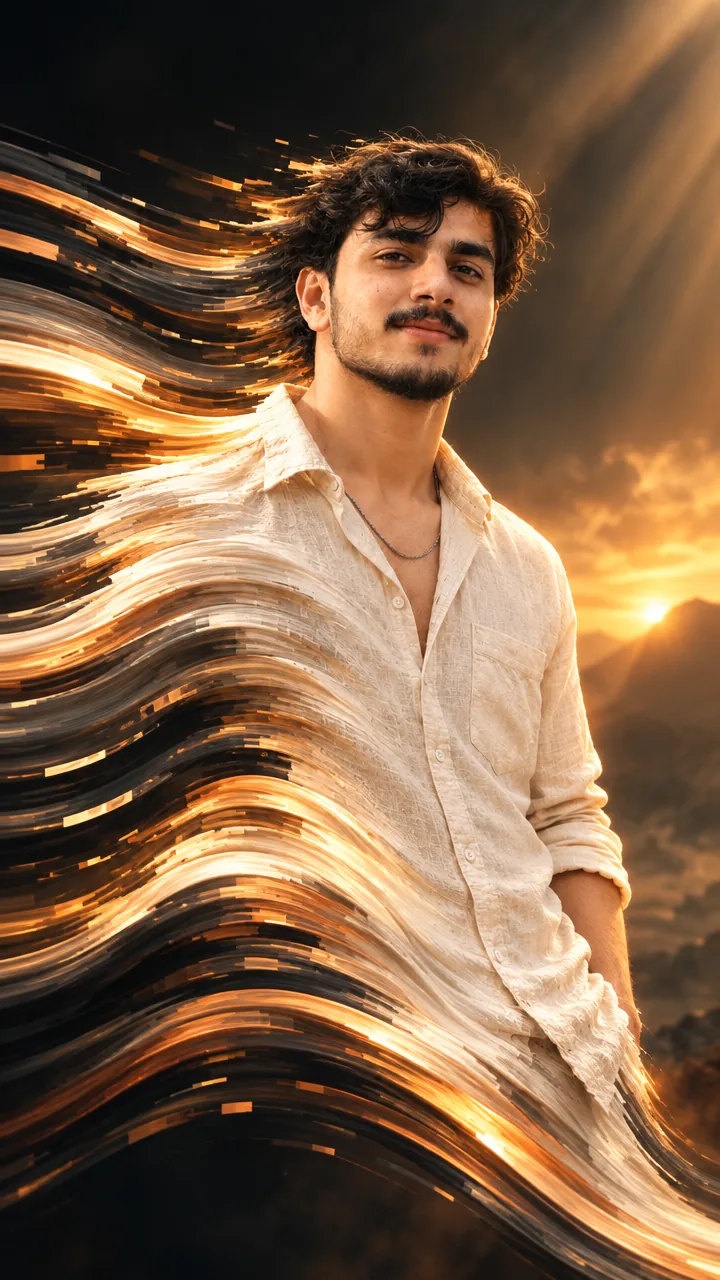
Pixel Stretch Art Prompt – Trending Aesthetic Light Ribbon Edit in Gemini & ChatGPT
This Pixel stretch art prompt keeps you 100% sharp and recognisable while the colours of your photo stretch into long, flowing ribbons of light – like you are dissolving into streams of silk and energy. Copy the prompt, upload your photo in Gemini or ChatGPT and get a trending aesthetic edit in seconds.
The prompt
3 more pixel stretch ideas
Same stretched-ribbon effect – a new colour story each time.
Neon Pixel Stretch Prompt
Golden Hour Pixel Stretch Prompt
Monochrome Pixel Stretch Prompt
Pixel stretch DP prompt
A square close-up made for your WhatsApp or Instagram profile picture.
Aesthetic captions for your edit
Your photo is ready – now pick a caption. Tap Copy and paste it on Instagram.
- Dissolving into my own vibe ✨
- The colours run, I don't 😎
- Glitch? No, it's art 🎨
- I am the trend 🔥
- Stretching beyond limits 🌈
- Style in every pixel 💫
- Light, motion and me ⚡
- My friends are confused by this edit 😂
- Flowing, not fading 🌊
- Aesthetic level: maximum 🎆
- #PixelStretch #PixelArt #AestheticEdit #TrendingEdit #AIPhoto #GeminiAI #ChatGPT #DigitalArt #PhotoPrompt
Turn your edit into a motion reel
Made your photo? Bring it to life as a short reel. Upload the photo you just made in Gemini, tap Video, paste this prompt and send.
How to use this pixel stretch art prompt in Gemini
- Go to gemini.google.com or open the Gemini app on your phone.
- Tap Copy prompt above.
- Tap + and upload one clear, front-facing photo of yourself.
- Paste the prompt and send. Your photo is ready in about 10–20 seconds.
- Not happy? Tap regenerate or change one detail in the prompt and try again.
How to use it in ChatGPT
- Open ChatGPT (the free plan works) and start a new chat.
- Tap + and add your photo.
- Paste the prompt and send – image generation takes up to a minute.
- Long-press or tap download to save the picture.
Tips for the best pixel stretch edit
- Pick a selfie in daylight with your face straight to the camera; side angles change the face more.
- Change the size at the end of the prompt: 1:1 for a DP, 3:4 for a post, 9:16 for a story.
- Choose the stretch direction: write “stretching to the left”, “upward” or “downward”.
- Bright, colourful clothes give longer and prettier ribbons than black or white.
FAQ
Is this pixel stretch art prompt free?
Yes, the prompt is free. Gemini and ChatGPT both make images on their free plans, with a small daily limit.
Which is better for this prompt – Gemini or ChatGPT?
Gemini keeps the face closer to your photo and is faster. ChatGPT often gives softer, more cinematic light. Try both and keep the one you like.
My face looks different in the result. What should I do?
Upload a clear, front-facing photo in good light without sunglasses or filters, and add "keep my face exactly the same as the uploaded photo" at the start of the prompt. Then generate again.
Can I make a video from this photo?
Yes. First make your photo with the prompt, then upload that photo in Gemini, choose Video and paste the video prompt from this page. Free plans have a small daily video limit.