

Boys · AI photo prompt
Baby Boy 1st Birthday Poster Prompt – Black & Gold Number Collage in Gemini & ChatGPT
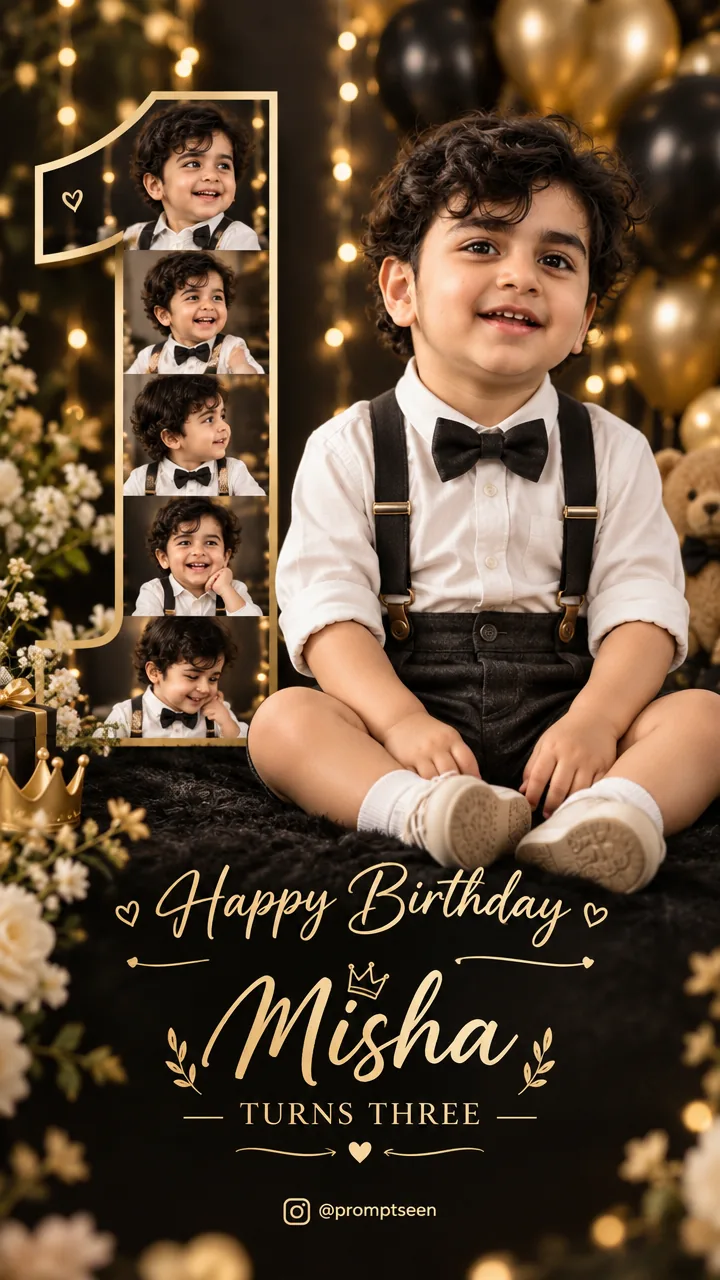
This Baby boy 1st birthday poster prompt turns your baby’s photo into a luxe first-birthday poster – a large number “1” photo frame filled with baby pictures and one big portrait on the right, your little one in a white shirt, bow tie, suspenders and shorts, with a black-and-gold theme, fairy lights, balloons and “Happy Birthday” in classy script. Copy the prompt, upload a clear photo in Gemini or ChatGPT and get a first-birthday poster in seconds.
The prompt
3 more first birthday themes
Same first-birthday poster – a new theme each time.
First Birthday Blue Theme Prompt
First Birthday Cake Smash Poster Prompt
First Birthday Teddy Theme Prompt
First birthday DP prompt
A square close-up made for your WhatsApp or Instagram profile picture.
First birthday captions
Your photo is ready – now pick a caption. Tap Copy and paste it on Instagram.
- Our little one turns ONE 🎂
- First birthday, first joy 💙
- One year of pure joy 🥹
- Bow tie and birthday smiles 🎀
- Happy 1st birthday, champ 🏆
- Mummy and Papa's prince turns one 👑
- Tiny steps, big year 👣
- Blessed with you 🙏
- Gold like our little star ⭐
- Cheers to year one 🥂
- #FirstBirthday #BabyBoy #BirthdayPoster #OneYearOld #AIPhoto #GeminiAI #ChatGPT #CuteBaby #PhotoPrompt
Turn the poster into a birthday reel
Made your photo? Bring it to life as a short reel. Upload the photo you just made in Gemini, tap Video, paste this prompt and send.
How to use this baby boy 1st birthday poster prompt in Gemini
- Go to gemini.google.com or open the Gemini app on your phone.
- Tap Copy prompt above.
- Tap + and upload one clear, front-facing photo of yourself.
- Paste the prompt and tap send – the picture comes back in a few seconds.
- If something looks off, ask Gemini to fix just that part, for example "keep my face the same, make the light warmer".
How to use it in ChatGPT
- Open ChatGPT and start a new chat.
- Attach your photo with the + button.
- Paste the prompt, send it and wait for the image.
- Tap the download icon to save it.
Tips for the best first birthday poster
- Use a sharp photo where your full face is visible – no sunglasses, cap or heavy filter.
- Change the size at the end of the prompt: 1:1 for a DP, 3:4 for a post, 9:16 for a story.
- Add your baby's name next to “Happy Birthday”.
- Use a sharp, recent photo of your baby looking at the camera.
FAQ
Is this baby boy 1st birthday poster prompt free?
Yes. Copy it for free and use it in the free version of Gemini or ChatGPT. Free accounts may have a daily image limit.
Which is better for this prompt – Gemini or ChatGPT?
Gemini keeps the face closer to your photo and is faster. ChatGPT often gives softer, more cinematic light. Try both and keep the one you like.
Why does the face not look like me?
Usually the photo is too small, dark or taken from the side. Use a sharp, front-facing selfie and write "do not change my face" at the start of the prompt, then try again.
Can I make a video from this photo?
Yes. First make your photo with the prompt, then upload that photo in Gemini, choose Video and paste the video prompt from this page. Free plans have a small daily video limit.