
Boys · AI photo prompt
Krishna Mural Photo Prompt for Boys – Aesthetic Flute & Blue Mural Look in Gemini & ChatGPT
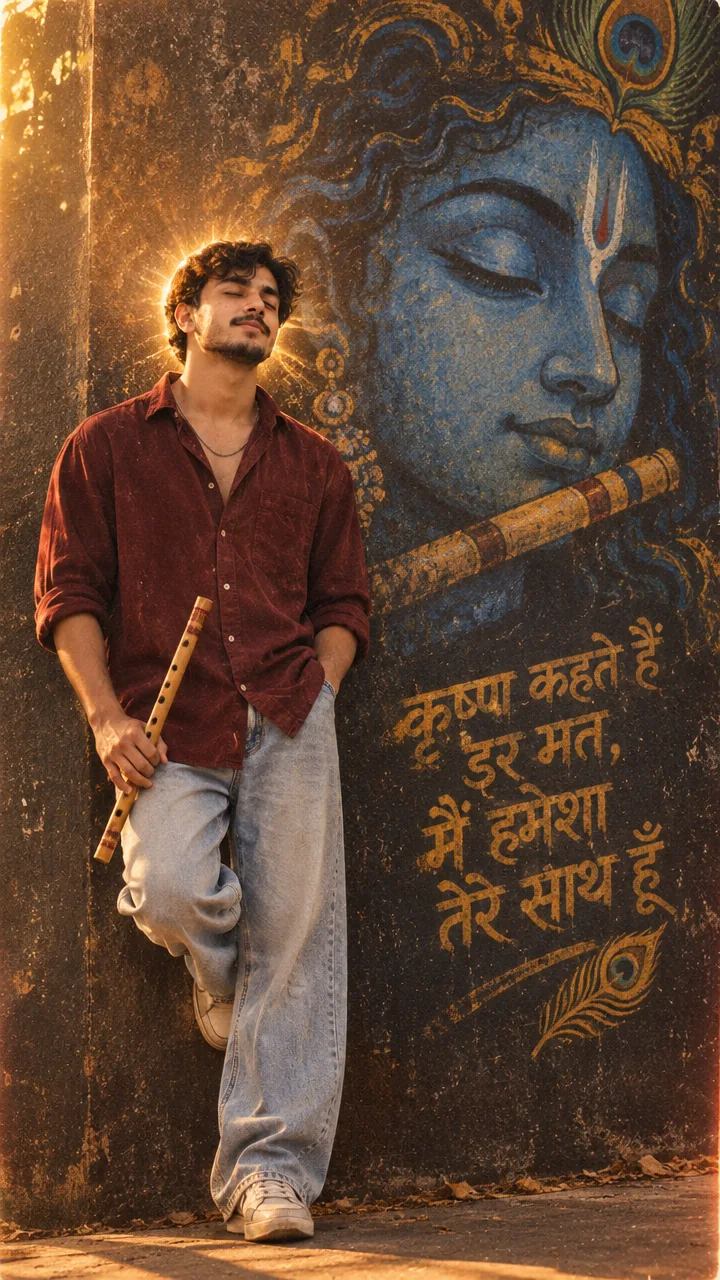
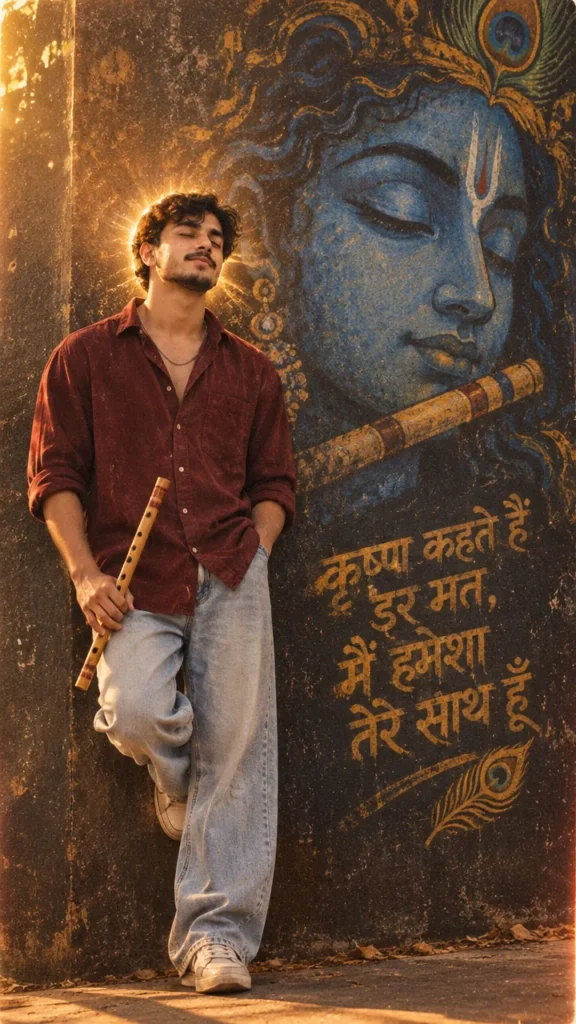
This Krishna mural photo prompt for boys turns your selfie into a soulful aesthetic portrait – eyes closed, a flute in your hand, an oversized dark red shirt and light jeans, leaning by a huge serene blue mural of Shree Krishna glowing with a soft halo and 90s film grain. Copy the prompt, upload your photo in Gemini or ChatGPT and get a devotional aesthetic photo in seconds.
The prompt
3 more Krishna aesthetic moments
Same blue mural and calm devotion – a new moment each time.
Krishna Mural Flute Playing Prompt
Krishna Mural Sitting Prompt
Krishna Peacock Feather Prompt
Krishna aesthetic DP prompt
A square close-up made for your WhatsApp or Instagram profile picture.
Krishna captions for your post
Your photo is ready – now pick a caption. Tap Copy and paste it on Instagram.
- Don't fear, I'm always with you 🦚
- Radhe Radhe 🙏
- Kanha in my heart, a flute in hand 🎶
- Jai Shri Krishna 💙
- Faith over fear ✨
- Lost in Kanha's melody 🪈
- Peace looks blue 💙
- All by Krishna's will 🙏
- Devotion and aesthetic 🦚
- Hare Krishna 📿
- #ShreeKrishna #RadheRadhe #KrishnaBhakti #AestheticVibes #AIPhoto #GeminiAI #ChatGPT #BoysStyle #PhotoPrompt
Turn your photo into a devotional reel
Made your photo? Bring it to life as a short reel. Upload the photo you just made in Gemini, tap Video, paste this prompt and send.
How to use this krishna mural photo prompt for boys in Gemini
- Open the Gemini app or gemini.google.com.
- Tap Copy prompt above.
- Tap + and upload one clear, front-facing photo of yourself.
- Paste the prompt and send. Your photo is ready in about 10–20 seconds.
- Not happy? Tap regenerate or change one detail in the prompt and try again.
How to use it in ChatGPT
- Open ChatGPT and start a new chat.
- Attach your photo with the + button.
- Paste the prompt, send it and wait for the image.
- Tap the download icon to save it.
Tips for the best Krishna photo
- Pick a selfie in daylight with your face straight to the camera; side angles change the face more.
- For an Instagram post write vertical 3:4; for a story or reel cover write vertical 9:16.
- The original prompt has a few typos (“fluat”) – it still works, but you can change it to “flute”.
- Add your favourite Krishna line in Hindi as the graffiti text.
FAQ
Is this krishna mural photo prompt for boys free?
Yes, the prompt is free. Gemini and ChatGPT both make images on their free plans, with a small daily limit.
Should I use Gemini or ChatGPT?
Both work. Gemini is quicker and usually keeps your face closer to the photo; ChatGPT takes longer but the light and detail can look richer. Run it in both and pick your favourite.
My face looks different in the result. What should I do?
Upload a clear, front-facing photo in good light without sunglasses or filters, and add "keep my face exactly the same as the uploaded photo" at the start of the prompt. Then generate again.
Can I make a video from this photo?
Yes. First make your photo with the prompt, then upload that photo in Gemini, choose Video and paste the video prompt from this page. Free plans have a small daily video limit.